Design language
One palette across hardware and app: the scale's arc-display blue is the only action colour; macros use the health-standard triad; the raw bowl's clay is reserved for raw-mode states.
Colour
Principles
- Numbers are earned, not typed. Anything scale-verified wears the green badge; estimates never do.
- One thumb, one flow. The whole log loop runs on bottom-third primary buttons.
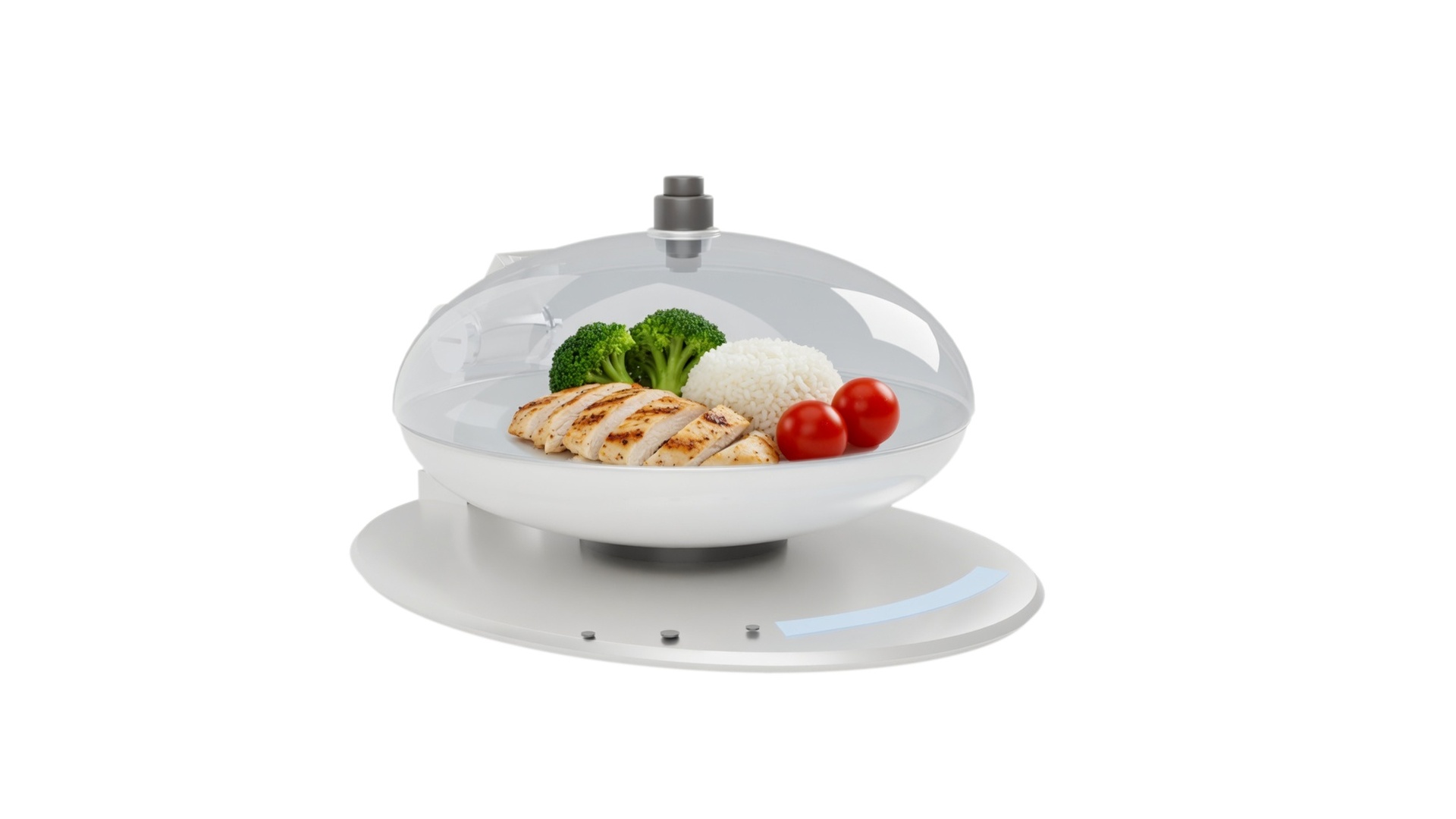
- The bowl speaks. Raw vs cooked is detected from the fitted bowl and shown as a persistent chip — never a setting to remember.
How the scale and the app connect.
Paired once over Bluetooth (Profile → My scale). After that, every report starts with a single press of the Measure button — the app only needs to know which meal it belongs to.
Pick the meal
Breakfast, lunch, dinner or snack — the only input the app ever asks for before a report. Then it just listens.
One press of Measure
The hardware captures everything at once:
- total weight W — locked, e.g. 310 g
- food types + volume shares (in-dome AI camera)
- bowl state — cooked · white / raw · clay
- one photo, auto-captured
The report generates itself
The sync packet lands and the app does the math:
- allocate grams so Σ mᵢ = W
- look up the Calories & Elements table (raw or cooked, per the bowl)
- compose the report → diary → weekly stats
Log a meal — two actions, one report.
S01 → S07: the user picks a meal in the app and presses Measure on the scale. Every screen after that is the report generating and landing — no other input exists.
S01 · Today MyFitnessPal-style budget ring, but with a stat only hardware can earn: a scale-verified share. 88% of Linda's calories came off the scale — only the mid-morning apple was a guess, and estimates never wear the green badge.
No portions to enter — one press does it all.
S02 · Choose meal Four cards, current slot pre-selected by time of day. This is the only input the app asks for — one tap, then the hardware takes over.
The report will arrive on its own.
S03 · Hand over to the scale Deliberately button-free: after picking the meal, the app goes passive. Capture belongs to the hardware — the bowl chip shows the scale already knows cooked from raw.
The app turns raw signals into the report — unstable pass? The scale re-samples itself (S04L).
S04 · The report builds itself Data generation, made visible: each row names its source — weight and bowl state off the scale, types and volumes off the camera, the gram split and table lookup computed in the app.
grams re-allocate so the total always equals 310 g.
S05 · Confirm The list arrives pre-filled from the sync — checking it is optional, correcting it is easy. Every gram is explainable: 142 + 99 + 69 = the 310 g the scale locked; edits re-balance, never re-total.
S06 · Result Traceable end to end: 310 g on the scale → three items → table lookup → 380 kcal. The bowl tag records which nutrition table produced it.
S07 · Saved The habit loop closes MyFitnessPal-style: streak, remaining budget, and a one-tap check-in that carries the photo + verified numbers to Community.
One meal, two truths — the bowl decides.
Linda preps her chicken the night before in the clay raw bowl, then serves it cooked in the white bowl. Water loss changes everything — so the fitted bowl switches which nutrition table the scale reads. Same food, honest numbers both times.
When it isn't perfect.
The system fixes itself first. A human is only asked in when physics gets in the way — and the ask is always one concrete action.
It retries by itself
Re-sampling and re-recognizing automatically… (2/3)
No buttons, no anxiety. The loop re-samples, re-tunes, re-verifies — Linda just sees a quiet banner, then the confirmed list.
Extreme cases only
Spread the items slightly apart, or wipe the lens — then rescan.
RescanEnter manuallyOnly two triggers exist: food too densely packed, or steam blocking the lens. Both come with one concrete fix and a rescan.
Fix a label in place
brown rice · fried rice · rice noodles…
ReplaceRenaming swaps the lookup row; grams re-allocate to keep Σ = W. The scale's total is never editable — that's the whole point.
Beyond the log.
Three more tabs turn verified meals into a habit: proof to share, a week to read, and the hardware looked after.
S10 · Community Check-ins, not food porn: every card is a real logged meal — the auto-captured photo with its scale-verified numbers attached. Shared data stays honest by construction.
+12 vs last wk
S08 · Insights The weekly report a beginner can actually read: days-on-target, protein trend, and one coach note — written from verified data, so the advice is worth following.
S09 · Profile & device Goals, weekly weigh-in, and the hardware page: battery, firmware, both bowls paired, and the one-line accuracy story — “the scale pins the weight, the AI splits it.”
Key copy · why each line exists
| Screen | Main copy | Design intent |
|---|---|---|
| S01 | “88% scale-verified” | The differentiator vs MyFitnessPal in one stat — most calorie apps can't know this number |
| S03 | “Press ● Measure on the scale” | The hand-off is explicit and button-free in the app — capture belongs to hardware; the bowl chip shows raw/cooked is already known |
| S04 | “Generating report — Measure pressed” | Data generation made visible: every number names its source (scale / camera / app math), killing the “is the AI guessing?” doubt |
| S05 | “Σ = 310 g ✓ scale” | Edits re-balance, never re-total — the scale's number is law |
| S06 | “380 kcal · scale-verified · Cooked bowl” | Result carries its provenance: weight source + which nutrition table |
| S07 | “12-day streak · check in” | Habit loop borrowed from MyFitnessPal; proof-backed so sharing feels safe |
| S10 | “380 kcal ✓” on every card | A feed where numbers can be believed — the community moat |